📋 Standard Project Creation
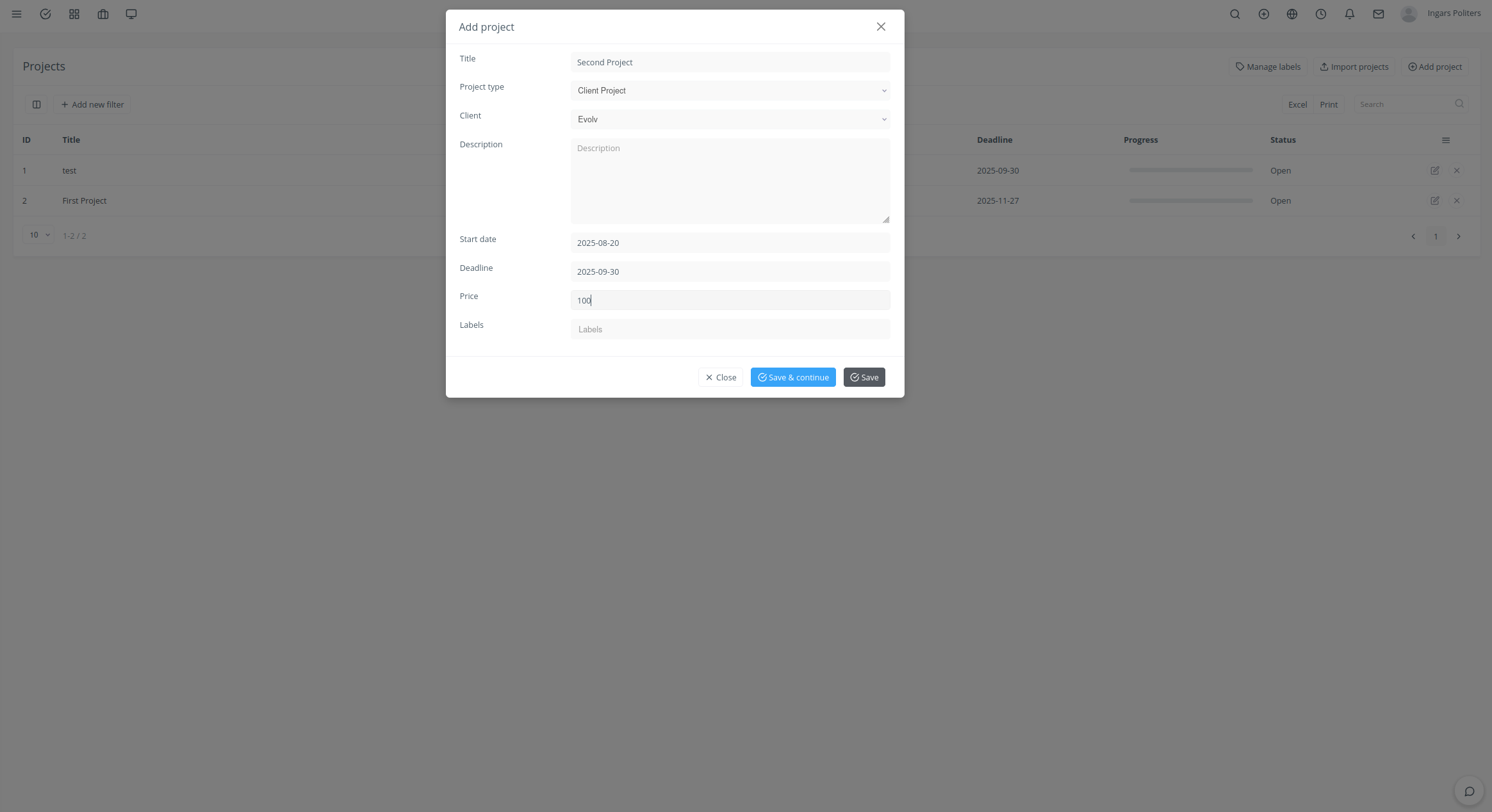
- Navigate: Click "Projects" in sidebar
- Create: Click "Add Project" button
- Essential Info: Title, Client, Start Date, Deadline
- Optional Details: Price, description, labels
- Save: Click "Save" to create project
⚙️ Advanced Configuration
- Budget Tracking: Enable cost monitoring
- Time Integration: Enable for billing purposes
- Team Setup: Assign manager and members
- Client Portal: Configure access permissions
🎯 Project Example: "Website Redesign"
- Client: Acme Corporation
- Budget: $15,000
- Timeline: 3 months
- Labels: "Web Development", "Priority", "Q3 2025"
Project Templates: Save time by creating reusable project templates in General Settings